PowerEXCEL - #NAME Error and No PowerExcel Functions - Manually Register Regasm PowerExcel.dll
If you're having an issue #NAME or not seeing PowerExcel.ExcelFunctions it may be caused by the installer being unable to register the PowerEXCEL.dll using the Regasm command.
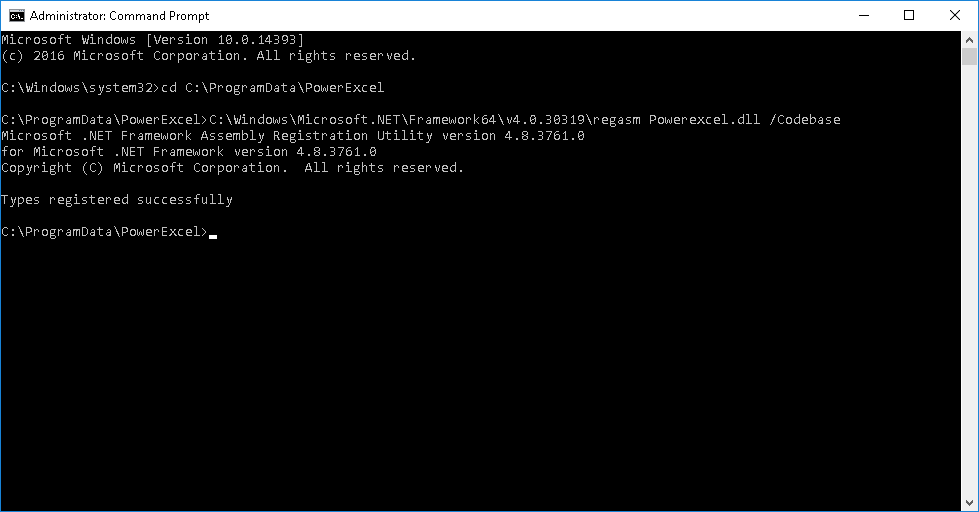
Follow the steps below to manually register:
- Open CMD as administrator
- Type "cd C:\ProgramData\PowerExcel" and hit enter
- For 64bit Excel Solution:
- Copy and Paste the following into CMD and hit enter: "C:\Windows\Microsoft.NET\Framework64\v4.0.30319\regasm Powerexcel.dll /Codebase"
- For 32bit Excel Solution: Run this "C:\Windows\Microsoft.NET\Framework\v4.0.30319\regasm Powerexcel.dll /Codebase"
- Close and re-open excel and make a slice again