
Editing PowerExcel Member Array - You can't change any part of an array
- When manually editing a filter formula function in a PowerExcel slice (OLATableMember Array), pressing Enter after the change throws an error - "You can't change any part of an array".
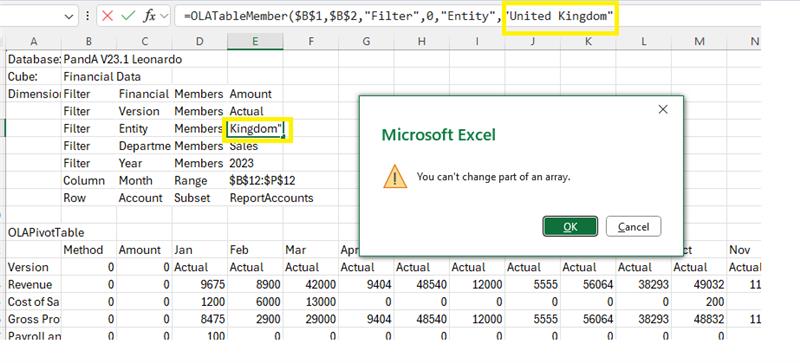
- When editing an Excel Array formula, Excel requires Ctrl + Shift + Enter key combination to commit the modification to the formula.
- For more details, refer to the official Microsoft documentation on working with array formulas, click on the link below.
Rules for changing array formulas